> ## Documentation Index
> Fetch the complete documentation index at: https://docs.refix.ai/llms.txt
> Use this file to discover all available pages before exploring further.
# Overview
The Visual Labelling Mode is a powerful feature that allows you to preview all the Events that are being tracked on your website.
When launched it appears as an overlay on your website and lets you configure and label the events that are being tracked.
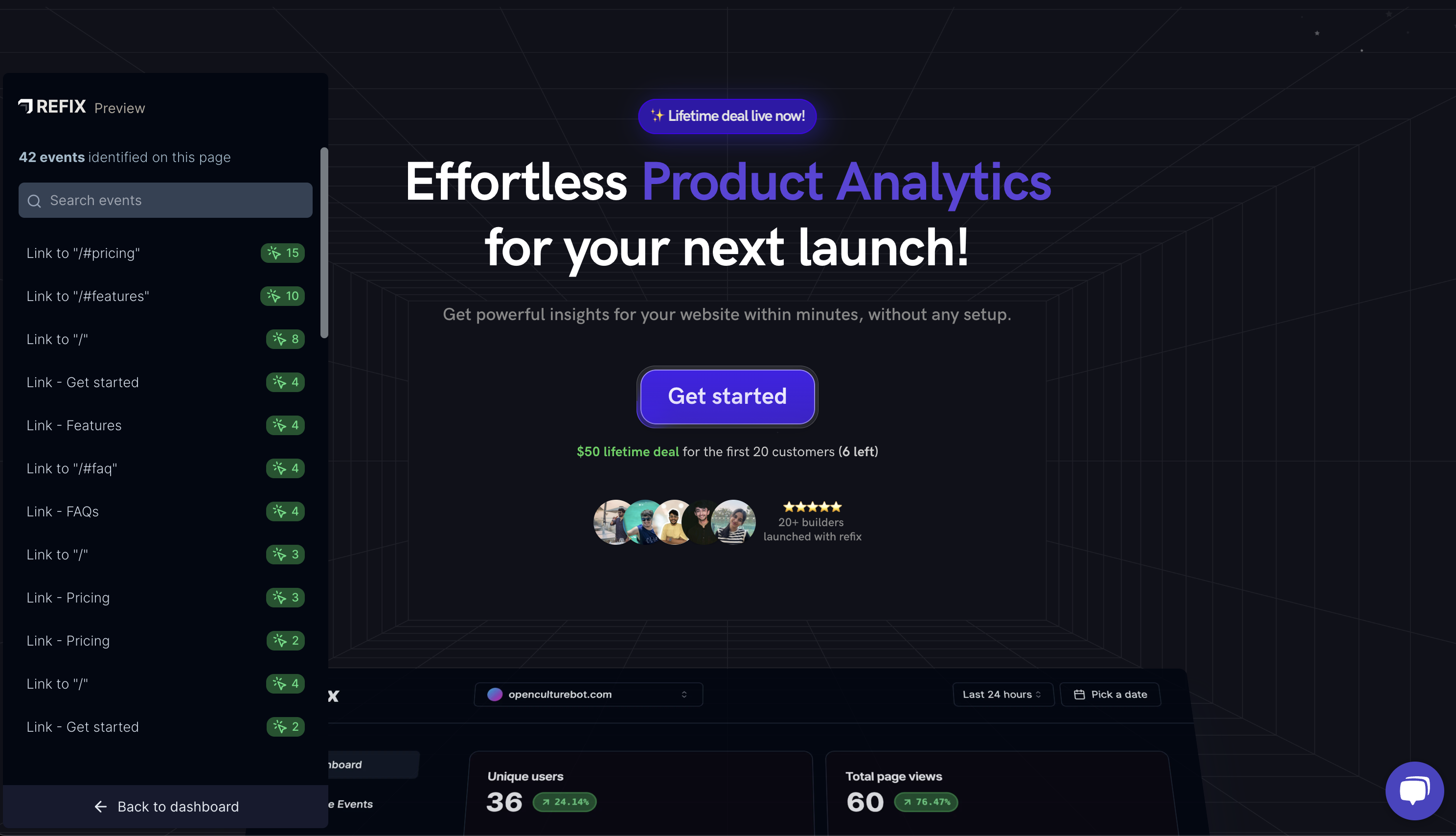 You will see the total event count for the last 30 days next to the identified events on the page.
### Launch the Visual Labelling Mode
There are two ways to launch the Visual Labelling Mode:
1. From the Sidebar
2. By clicking on the Preview icon next to the Event name in the events section.
This will automatically scroll to and highlight the element on the page.
You will see the total event count for the last 30 days next to the identified events on the page.
### Launch the Visual Labelling Mode
There are two ways to launch the Visual Labelling Mode:
1. From the Sidebar
2. By clicking on the Preview icon next to the Event name in the events section.
This will automatically scroll to and highlight the element on the page.